Services
Industries
Tools
Local SEO Checklist for Small Businesses: What to Check and Fix
A local SEO checklist is a practical review of your Google Business Profile, website, business listings, customer reviews, local content and tracking. Working through it shows you the wrong details, missing pages and broken contact paths that make your business harder to find or call.
Work through it one section at a time and mark each item Pass, Needs work, Not applicable or Needs review.
On this page
What does a local SEO checklist cover?
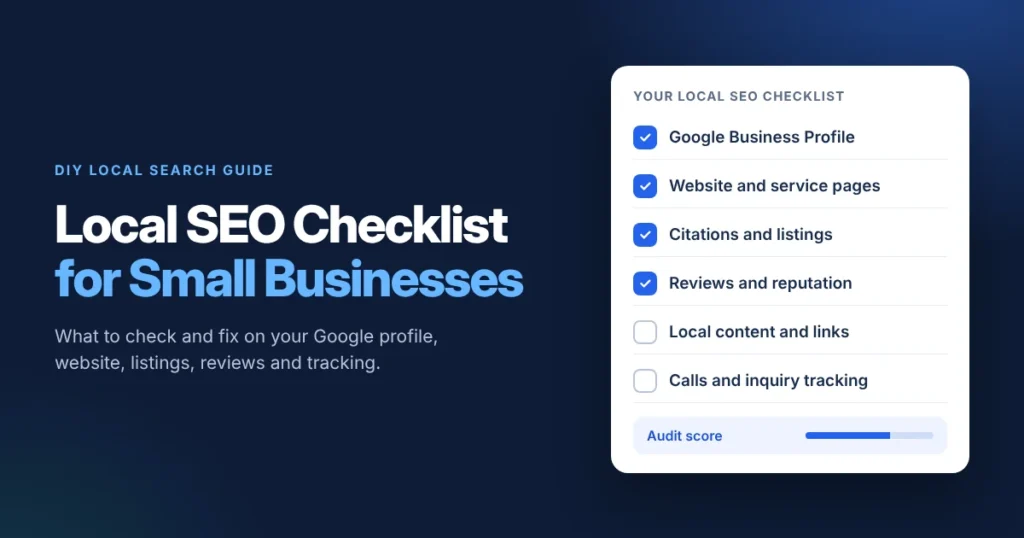
It covers the tasks that help customers find and contact a business in its service area. There are six areas to check:
- Google Business Profile: name, primary category, services, hours, phone, website, photos and service area.
- Website and on-page SEO: service pages, location details, titles, headings, internal links, mobile use and contact options.
- Citations and listings: your business name, address and phone number across directories and platforms.
- Reviews and reputation: review volume, recent feedback, replies and how you ask for reviews.
- Local content and links: useful service information, local relevance and links from related organizations.
- Technical setup and tracking: indexing, mobile forms, broken pages and the actions customers take after finding you.
This local SEO checklist suits an owner or manager who can edit the profile, website and listings. If you manage several locations, have a suspended profile or cannot get into your website and analytics, you may need technical help before you can finish every check.
How to use this local SEO checklist
Work through the checks in order, write down what you find and fix errors before you add new content. A task is done only when you have checked the live result, not when you have drafted a change or sent an edit request.
Give each item one of four statuses:
- Pass: you checked the live information and it is correct.
- Needs work: you found an error, a missing detail or a broken customer path.
- Not applicable: the check does not fit your business.
- Needs review: you cannot confirm it or do not have access.
For each problem, note the page or profile, what is wrong, who will fix it and the date you will check again. Take screenshots where a platform shows no change history. Start with wrong contact details, profile problems and broken inquiry paths, then move on to pages, listings, reviews and tracking.
Google Business Profile checklist
Your Google Business Profile gives customers your key details on Google Search and Maps. Review the public profile and its settings, then confirm both match your website and the way you serve customers.
Business identity and contact details
- The business name matches the name customers know and the one on your signage.
- The primary category is the most accurate one available.
- Secondary categories describe services you provide, nothing more.
- The phone number and website link work.
- Regular hours are right, and holiday hours are updated.
- Address or service-area settings match how customers receive the service.
- Old phone numbers, addresses, URLs and duplicate details are removed.
Services, photos and updates
- Every service you offer is listed in plain words customers use.
- Service descriptions say what is included and who it helps.
- Attributes are added where they are accurate.
- Photos are current and show your premises, team or finished work.
- Outdated images are removed.
- Updates are posted when you have news, seasonal information or an offer, and their links work.
Quality and compliance
- The profile follows Google’s eligibility and representation rules.
- There are no duplicate profiles.
- Notifications about edits, verification or policy issues are reviewed.
- Owner and manager access sits with the right people.
- You checked the live listing after every edit.
A complete profile gives Google and customers accurate information. It does not guarantee a Maps position. Google describes local results in terms of relevance, distance and prominence, and nobody can control how far a searcher is from you.
If Google suspends your profile, read the stated policy issue and follow Google’s reinstatement process. Do not create a second profile to get around a suspension.
Should you use a storefront or service-area setup?
Your profile type must match where customers meet you. Choose a storefront when customers visit a staffed location during your listed hours. Choose a service-area setup when you travel to customers and do not receive them at your base.
| How you operate | Profile setup | What to check |
|---|---|---|
| A staffed shop, clinic or office that receives customers | Storefront | The address is accurate and staffed during listed hours |
| A contractor or mobile service that travels to customers | Service-area business | Hide the address and list the areas you serve |
| A business that serves customers on site and travels to them | Hybrid, if eligible | Show the customer-facing location and set the service area |
| A virtual office or unstaffed mailing address | Not eligible as a storefront | Do not use it as a customer-facing location |
Google Business Profile Help lets eligible service-area businesses list up to 20 service areas and advises keeping the overall area within about two hours’ driving time of the base. These are profile guidelines, not a ranking formula.
Your profile should describe the business you run, not the city you hope to rank in. Adding distant areas, or showing an address where customers cannot visit, does not make a business eligible to appear there.
Website and on-page SEO checklist
Your website should explain each service, show where you provide it and make contacting you easy. This part of the local SEO checklist takes the longest, so split it over two sessions if needed. Review it on a phone as well as a computer.
Service pages and content
- Each main service has its own page when it needs its own explanation.
- Each page says what the service includes, who it suits and what to do next.
- The service area is mentioned naturally, without a string of city names.
- Pages carry true details about your work, process, qualifications or limits.
- Every page has a distinct title and one clear H1, with useful H2 sections.
- No two pages repeat the same text with only the city name changed.
- Images that carry information have descriptive alt text.
Contact and mobile experience
- Every phone link works on a mobile device.
- Each contact form reaches the right inbox when you submit a test.
- Forms ask only for what you need to reply.
- The phone number and main contact option are easy to find.
- No pop-up or layout problem hides the contact details on a small screen.
Technical checks
- Important pages are indexed (check with URL Inspection in Google Search Console).
- No broken internal links or error pages.
- Canonical URLs point to the preferred version of each page.
- Redirects lead to the right replacement page.
- Structured data matches what is visible on the page.
Check competitors before adding pages
Search Google for your main service and area. Note who appears in the local pack and the organic results, compare their categories, services and page detail, and read the questions customers raise in their reviews. Then pick one useful gap your own site can fill. Do not copy a competitor’s wording or claims.
If you would like to see what professional help covers, read about our local SEO services in North Carolina.
Citations and local directories checklist
A citation is any online mention of your business name, address and phone number. Accurate listings help customers confirm they have the right business. Conflicting details cause confusion when someone tries to call or visit.
- You have one written version of your name, address or service area, phone and website.
- Google Business Profile and Facebook match that version.
- Established directories and industry platforms your customers use match it.
- Trade association, chamber or community listings match it, where you are a member.
- Service-area listings do not suggest a location customers can visit.
- You searched old names, phone numbers and addresses and fixed what turned up.
Focus on platforms your customers and industry use. Submitting to directories with no link to your customers wastes hours.
Reviews and reputation checklist
Your review process should make it easy for real customers to share their experience, with no pressure and no incentives.
97% of consumers read reviews for local businesses.
Asking for reviews
- You ask for feedback after a completed job or visit.
- The request is short and the review link opens easily on a phone.
- You ask customers to describe their experience in their own words.
- You ask every customer, not only those you expect to be happy.
- No rewards for reviews, no reviews written for customers, no staff posing as customers.
Responding and learning
- New reviews are read and answered promptly and professionally.
- Replies mention specifics instead of a copied line.
- Complaints are answered calmly, with no private customer details, and moved offline when needed.
- Repeated complaints are logged and someone owns the fix.
- Service pages are updated when reviews show a common misunderstanding.
No business can control what every customer writes or guarantee a rating. A steady process built on real feedback is what you can control.
Local content and backlink checklist
Local content should answer questions from customers in the places you serve. Local backlinks should come from websites with a real reason to mention you. Thin city pages and bought links give customers nothing useful.
Local keywords and pages
- You listed each service and the towns or areas you serve.
- You noted the phrases customers use in calls, emails, quote requests and Google suggestions.
- Each main search topic is assigned to one existing page before you create a new one.
- Pages answer recurring questions about scope, access, preparation and next steps.
- Photos and project details are your own work.
Local links and mentions
- You listed trade groups, associations, suppliers and partners that publish member or partner directories.
- You looked for local sponsorships, events or community work that merit a mention.
- Existing backlinks are reviewed for relevance and obvious spam.
- Outreach, replies and new links are recorded.
Never create pages for places you do not serve, and never claim an office where you have none.
Local SEO tracking checklist
Tracking is the part of a local SEO checklist most owners skip. A useful report connects search activity with the actions customers take to contact you. Track search visibility, profile interactions and website inquiries separately, then compare each with your own earlier results. Google Search Console, Google Analytics 4 and Business Profile performance reports are all free options, not requirements.
Monthly review routine
- Pick the same reporting period each month and compare it with the previous one.
- Record Search Console clicks, impressions and the queries reaching your service pages.
- Record Business Profile calls, website clicks and other interactions.
- Record website calls, form submissions and other contact actions.
- Count qualified inquiries and booked work from your own records.
- Note anything else that changed: season, hours, ads, staffing or site updates.
- Choose one or two actions for next month and who will do them.
| Measure | What it tells you | What it cannot prove alone |
|---|---|---|
| Search impressions | How often your pages appeared in Google | That anyone visited or called |
| Search clicks | How often people clicked through | That the visit became an inquiry |
| Average position | A summary of reported rankings | A fixed position for every searcher |
| Profile interactions | How people used your Business Profile | That each one was a qualified lead |
| Qualified inquiries | Inquiries that fit the work you want | That every inquiry will book |
| Booked work | Inquiries that became scheduled jobs | Which single SEO task caused it |
When a new customer’s source is unclear, ask how they found you. If impressions and clicks rise but calls, quote requests and booked work do not, the business has not grown yet.
Local SEO audit checklist: how to score your results
An audit score is a record of verified conditions, not a ranking prediction. Score each check with evidence from your live profile, website, listings and records, and use the score to decide what to fix.
| Status | Points | When to use it |
|---|---|---|
| Pass | 2 | You checked the live result and it is correct |
| Needs work | 1 | The item exists but has an error |
| Fail | 0 | Missing, broken or clearly wrong |
| Not applicable | Excluded | Does not apply to your business |
| Needs review | Excluded until checked | No access, or you cannot confirm it |
Score each of the six areas on its own: area score = points earned ÷ possible points × 100. Leave out items marked Not applicable or Needs review, and keep the Needs review items on a separate list so they are not forgotten.
For example, 14 points out of 20 possible for your website is 70%. That figure describes the checks you completed. It does not mean a 70% chance of ranking or a set number of leads. Keep the same checks and scoring rules each time, so a change in the score reflects your work and not a change in method.
What should you fix first with three hours a week?
Fix whatever blocks contact before anything else. With about three hours a week, split the time between urgent problems, one improvement and a short review. This is a practical split, not an industry benchmark, so move time around when you find a serious problem.
| Time | Priority | Example tasks |
|---|---|---|
| 45 min | Fix contact blockers | Wrong phone number, broken form, wrong hours, dead website link |
| 45 min | Improve the Business Profile | Categories, services, details, photos, service area |
| 60 min | Improve one important page | Clarify a service, add missing information, fix a mobile contact problem |
| 30 min | Review and plan | Inquiries, profile interactions, Search Console, next task |
When choosing work, ask these questions in order:
- Can customers contact you? Test the phone, form, website link and hours first.
- Does your public information match? Fix profile and listing details before writing new pages.
- Does your main service page answer customer questions? Improve the page for your most important service.
- Can you see what happened? Make sure calls, forms and inquiries are recorded before drawing conclusions.
- What is the next verified gap? Use your scorecard to choose next week’s task.
How should your checklist handle AI search in 2026?
AI search checks build on accurate business information and useful website content. Add them after the profile, website and tracking tasks:
- Your business name and service details match across your website and public profiles.
- Services are explained in plain language that answers common customer questions.
- The areas you serve are stated clearly.
- Important pages can be crawled and indexed by Google.
- AI visibility notes are kept separate from inquiries and booked work.
Google Search Central says there are no extra technical requirements or special structured data needed to appear in AI Overviews or AI Mode. A page still has to meet Google’s normal Search requirements. Meeting them does not guarantee a page will appear in an AI answer, and no business can control which companies an AI tool names.
Why is your business still hard to find after the checklist?
A finished checklist does not guarantee you will appear for every local search. If visibility or inquiries stay weak, look for one specific cause before making another broad change.
| What you notice | What to check | Next step |
|---|---|---|
| You do not appear for relevant searches | Eligibility, verification, categories, services | Confirm the profile follows Google’s rules and describes the business accurately |
| You appear for your name but not your services | Service descriptions, page content, categories | Improve the page and profile for that service |
| You appear in one area but not another | Searcher distance, competition, areas you serve | Check results from that area; never claim a distant address |
| Visitors come but do not contact you | Phone links, forms, mobile layout, calls to action | Test the path on a phone and fix the first failure |
| Clicks rise but booked work does not | Lead quality, response time, booking records | Compare qualified inquiries and booked work, not clicks |
| Pages missing from Search Console | Indexing, crawl access, errors, canonicals | Inspect the URL and fix the specific issue |
Change one thing at a time where you can. If you rewrite pages, change categories and update listings in the same week, you will not know which change made the difference. Keep a record of each issue, the action and the date you checked again.
Key takeaways
- Match your Business Profile setup to how customers receive your service.
- Make each important service page clear and easy to contact from.
- Fix inconsistent business details on the listings customers use.
- Ask every customer for feedback and reply professionally.
- Track calls, forms, qualified inquiries and booked work alongside search data.
- Score your audit the same way each time and compare against your own baseline.
Run the local SEO checklist again next month with the same scoring rules. The best next task is the one that fixes a verified problem for your customers.
Frequently asked questions
How often should I complete a local SEO checklist?
Check your main business details and contact paths whenever they change. Run the full review monthly so you can compare your profile, pages, listings, reviews and results over the same reporting period.
Can I do local SEO myself without paying for tools?
Yes. You can review your profile, website, listings and reviews without specialist software. Google Business Profile and Google Search Console are free, and a spreadsheet can hold your checks and monthly results.
What should I check first if my business does not appear on Google Maps?
Confirm your Google Business Profile is verified, eligible and free of policy issues. Then check the primary category, services, address or service area and contact details. Your position also depends on relevance, distance and prominence, so it varies by where the searcher is.
How can I tell if local SEO is bringing in phone calls?
Record calls from your website and Business Profile where the reports allow it, and ask callers how they found you. Compare call records with forms, qualified inquiries and booked work. Impressions and clicks alone cannot confirm a call happened.
Want a second pair of eyes on your local SEO checklist?
A Free Local SEO Review from Addraiz looks at your Google Business Profile, website and local search visibility and points out what to fix first. We work with businesses across North Carolina and beyond.