Services
Industries
Tools
How to Rank Higher on Google Maps: A Checklist for Local Service Businesses
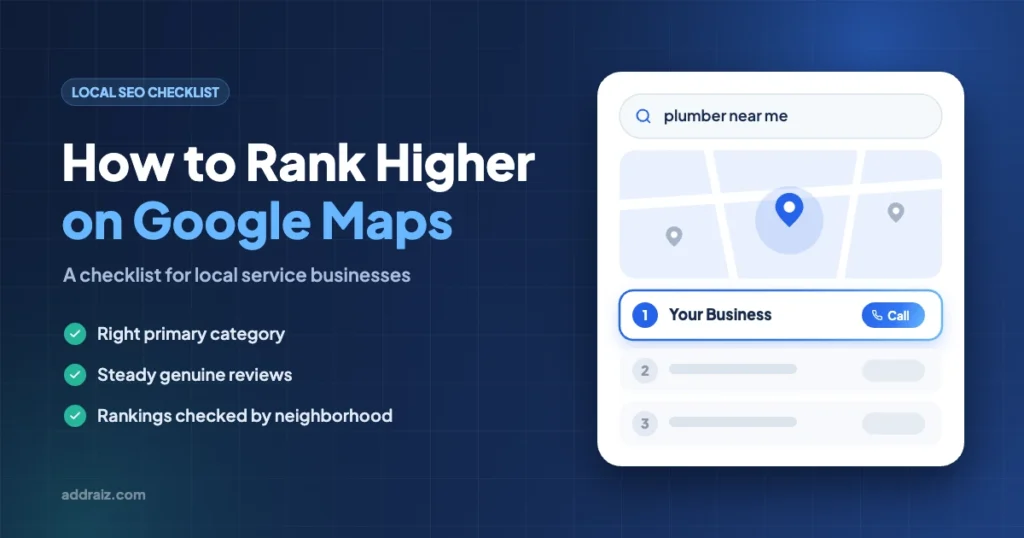
How to rank higher on Google Maps: complete your Google Business Profile, choose the right primary category and list your services. Then build genuine customer reviews and check your visibility from several neighborhoods. Google ranks local results by relevance, distance and prominence, so put your effort into the factors your business can control.
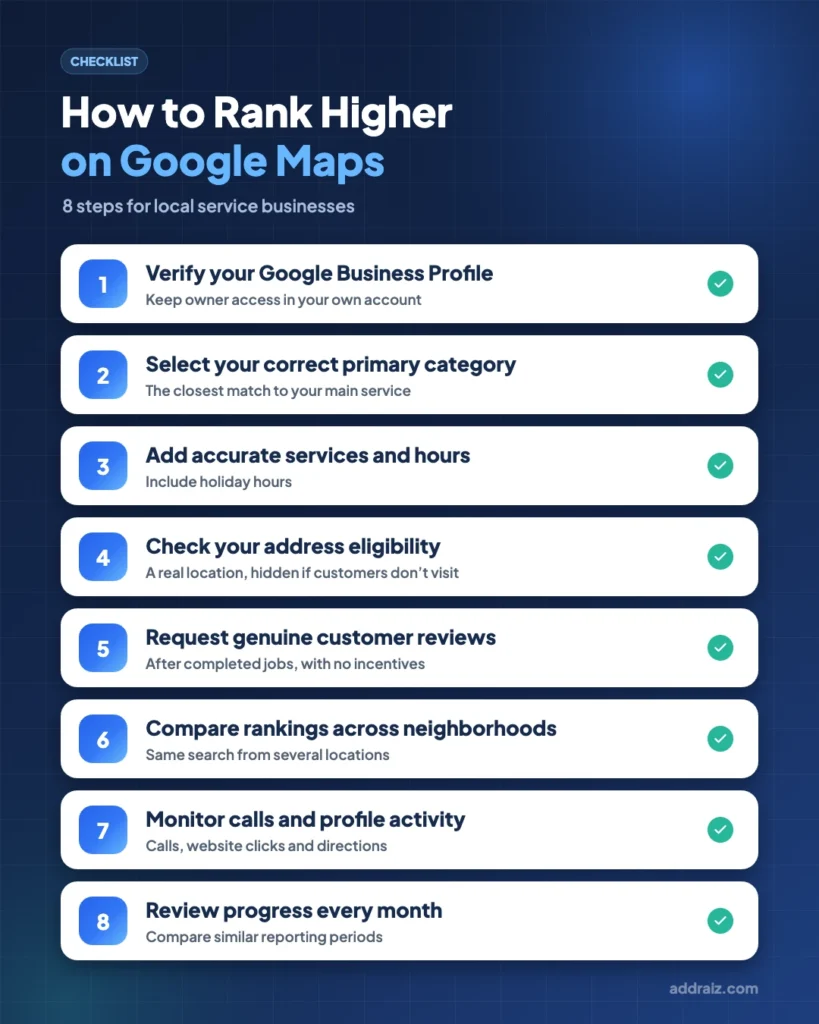
Work through the checklist below in order, and fix what you find before you move to the next step.
On this page
How Do I Rank Higher on Google Maps?
Search for a plumber or a dentist in your town and the same few businesses tend to show up on Google Maps. That isn’t luck.
Google mainly looks at three things when it picks local results: relevance, distance and prominence. Put simply, it wants to know what your business does, how close it is to the person searching and how well-known it is. Google explains each factor in its local ranking guidance.
| Ranking factor | What it means | What you can work on |
|---|---|---|
| Relevance | How closely your business matches the search | Categories, services and accurate business details |
| Distance | How far your business is from the person searching | Your legitimate business location |
| Prominence | How well-known your business is | Genuine reviews, links and business mentions |
Distance is the one factor you can’t change by editing your profile. Relevance and prominence are where your work pays off.
Say you run a plumbing company in Cary. Someone searching near downtown Cary may see a different set of plumbers from someone searching near Apex. Your profile can be complete and a competitor closer to that searcher can still show up above you.
One more thing: Google says there’s no way to request or pay for a better local ranking. Running Google Ads doesn’t move you up in the unpaid Maps results.
Which Google Business Profile Details Should I Fix First?
Your Google Business Profile should make it clear what your business does, where it works and how customers can reach you. Wrong or missing details send customers to the wrong place, and they make it harder for Google to match you to the right searches.
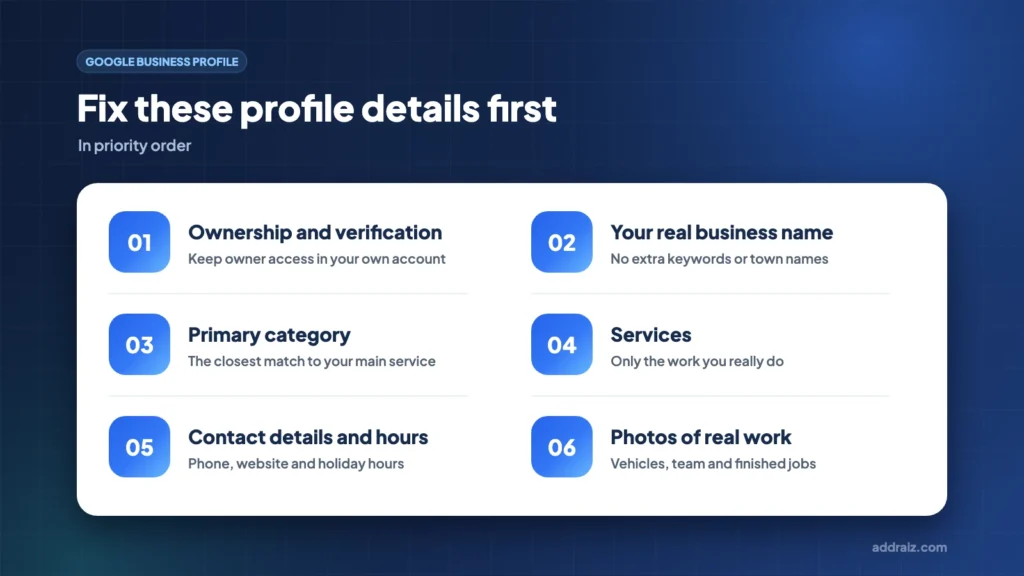
Check these in order.
1. Make sure you own and can access your profile
Check that the profile is verified and that you manage it through your own Google account. If an agency looks after it, keep owner access yourself. You shouldn’t need anyone’s permission to get into your own listing.
2. Use your real business name
The name on your profile should match your signs, website and invoices. Adding service keywords, town names or slogans that aren’t part of your real name goes against Google’s guidelines for representing your business.
3. Choose the right primary category
Your primary category tells Google what kind of business you run. Pick the closest match to your main service, not a broad one chosen to show up in more searches. A plumbing company should pick a plumbing category, not a general contractor category.
4. List the services you really offer
Check that your service list covers the jobs customers can hire you for. An HVAC company might list AC repair, heat pump installation and furnace maintenance. Leave out anything you don’t do.
5. Check your contact details and hours
Confirm your phone number, website, hours and service areas, and update holiday hours when they change. A customer who calls during your listed hours and gets no answer may not call back.
6. Add photos of real work
Photos of your vans, equipment, team and finished jobs show people who they’re about to call. Don’t pay for geotagging services or rename every image hoping for a better Maps position. Neither one guarantees a higher ranking.
Why Am I Still Missing From Google Maps With a Complete Profile?
A complete profile doesn’t mean you’ll show up for every local search. The cause is usually your category, your location, a duplicate listing or a problem with eligibility.
Spend ten minutes on these checks before you pay for another optimization service. If you haven’t covered the basics yet, start with our local SEO checklist.
1. Search for your exact business name
- If your profile shows up, check that the details are right.
- If it doesn’t, check its verification status and look for suspension or eligibility notices.
- If a second profile for your business shows up, you may have a duplicate listing.
2. Search for your main service
Search the way a customer would, for example “emergency plumber Cary NC.” Note the primary categories of the businesses above you. If theirs describe the service more closely, review yours.
3. Check your business address
Your address has to be a real business location that meets Google’s guidelines. Look for duplicate profiles or other businesses listed at the same address.
4. Look at recent reviews
Check when your latest genuine reviews came in, not just the total, and compare that with the businesses above you. It won’t tell you exactly why a competitor ranks higher, but it shows how active their customer feedback is.
5. Check for notices from Google
Look in your Business Profile account and your email. If Google finds fake reviews, it can remove them, stop new reviews for a set period, unpublish existing reviews or show customers a warning. You can appeal, as its Business Profile restrictions policy explains.
In April 2026, Google also started emailing verified owners about important edits to their profiles before those edits go live. Read those emails. A wrong suggested edit can change your hours or details.
6. Check more than one neighborhood
You might be hard to find in one part of town and easy to find in another. Test a few neighborhoods before you decide the whole profile has a problem.
How Should I Build a Steady Flow of Genuine Reviews?
Make asking for a review part of your normal follow-up. When a job’s done, thank the customer and give them an easy way to share how it went. Don’t pressure anyone or tell them what rating to leave.
- After the job: send a short thank-you message with your Google review link.
- After payment: include the link in your usual follow-up.
- After a bigger project: invite the customer to describe it in their own words.
- Every week: read new reviews and reply to them.
Say you pour a new driveway. Once it’s finished, send a thank-you text with your review link and let the customer decide what to say about the work and how you communicated.
Google lets businesses ask customers for genuine reviews. Its review policy bans discounts, gifts or other incentives in exchange for them, and it’s enforced at scale. Google says it blocked or removed over 292 million policy-violating reviews in 2025, according to its April 2026 Maps update.
Don’t:
- Buy five-star reviews.
- Ask only happy customers and leave unhappy ones out.
- Ask staff or relatives to write reviews.
- Pay anyone to change or remove a review.
A steady request after every completed job is safer than a sudden jump in reviews.
How Can a Service-Area Business Rank Without a Storefront?
If you travel to customers instead of serving them at a shop, you can still have a Google Business Profile as a service-area business, as long as you meet Google’s eligibility rules. Plumbers, electricians, HVAC companies, roofers and other contractors often work this way.
1. Use your real operating location
You need a legitimate location that meets Google’s requirements. A rented mailbox, virtual office or PO box doesn’t count.
2. Hide your address if customers don’t visit you
Google’s business representation guidelines explain when and how a service-area business should hide its address.
3. Set service areas you really cover
Add the towns where you take jobs, for example Cary, Apex and nearby communities. Leave out distant towns you don’t serve.
4. Keep asking for genuine reviews
A plumber who serves Cary and Apex can ask customers in both towns for a review after each job. There’s no need to tell them to mention a town or a service.
5. Accept the distance factor
Hiding your street address doesn’t remove distance from Google’s ranking. A competitor closer to the searcher can still show up above you, even with fewer reviews. Don’t rent a fake office to look closer. It puts your profile at risk.
How Do I Check My Ranking Across Different Neighborhoods?
Search from your office and you might rank well while a customer across town can’t find you. Google Maps results change with where the person is searching, so one check from one spot only shows part of the picture.
A simple ranking grid fixes that. Say you run a plumbing company in Cary and want to check three nearby areas:
| Search location | Search phrase | What to record |
|---|---|---|
| Downtown Cary | Emergency plumber | Your position and competitors |
| West Cary | Emergency plumber | Your position and competitors |
| Apex | Emergency plumber | Your position and competitors |
Use the same search phrase in every area so you’re comparing like with like. You can do this by hand for free, though setting an accurate search location takes some effort. A grid-based local rank tracker can check many points across an area for you.
Then look for patterns:
- You show up near your business but not farther away: distance is likely limiting you.
- You struggle in every area: check your category, relevance and eligibility.
- The same competitor beats you everywhere: compare its category and profile details with yours.
Don’t judge your whole Maps presence by one number. You can be near the top in one neighborhood and hard to find in the next.
What Should I Measure Over the First 90 Days?
When you change your profile, write down what you changed and when. A 90-day schedule lets you review the work without expecting a set ranking by a set date.
| Checkpoint | What to review | What to do next |
|---|---|---|
| Day 30 | Verification, category, services, address and your starting ranking grid | Fix profile problems |
| Day 60 | Neighborhood visibility, new reviews and customer inquiries | Compare changes and find weak areas |
| Day 90 | Ranking patterns, calls, website clicks and direction requests | Decide where more work is needed |
Your Google Business Profile performance data shows how customers interact with your listing. Compare similar periods instead of judging progress by one unusually busy week. Track these:
- Calls from your profile.
- Website clicks from your profile.
- Direction requests, if customers visit your location.
- Recent genuine reviews.
- Visibility across the neighborhoods you want to reach.
A higher Maps position only matters if it helps the right customers find and contact you. If you want help reviewing your profile, categories, reviews and local visibility together, see our local SEO services in North Carolina.
What Questions Do Business Owners Still Ask About Google Maps?
Why does a competitor with fewer reviews rank above me?
Google looks at relevance, distance and prominence together. Your competitor may be closer to the person searching or have a primary category that better matches the search. Review totals alone can’t explain why one business shows up above another.
Do Google Business Profile posts directly improve rankings?
Google doesn’t list posting frequency among its three published local ranking factors: relevance, distance and prominence. Posts are still useful for telling customers about offers, seasonal services and updates. Use them to share useful information, not as a ranking shortcut.
Can I make a separate Google Business Profile for each town I serve?
No. A profile has to represent a real business location. A service-area business lists the towns it serves inside one profile instead. Creating profiles for towns where you have no real location goes against Google’s guidelines and puts those profiles at risk of removal.
Want a second pair of eyes on your Google Maps visibility?
Your next step: check your primary category, confirm your address meets Google’s requirements and see how your business shows up in different neighborhoods. If you’d like Addraiz to review those areas with you, request a free Search Visibility Review.